
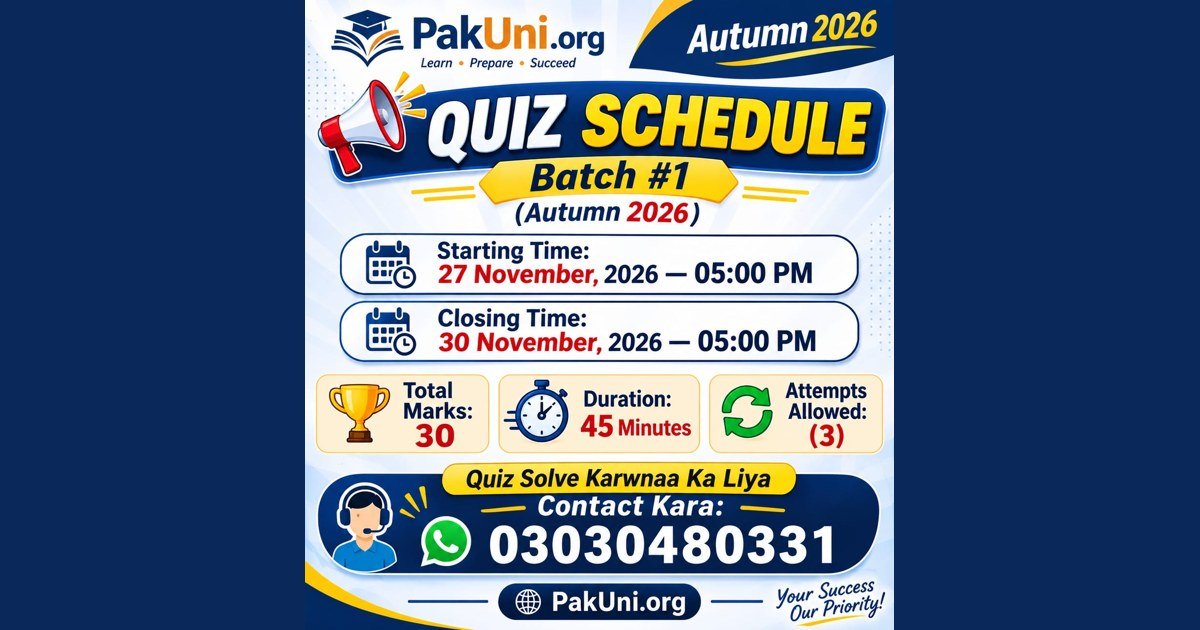
AIOU Quiz Schedule Batch #1 Autumn 2026: Dates, Marks, Duration & Attempts
AIOU Quiz Schedule Announced for Autumn 2026
PakUni.org has announced the AIOU Quiz Schedule for Batch #1 of the Autumn 2026 session. Students should note the dates and timings carefully, because the quiz window is open for a limited time only and no attempt will be possible after the closing time.
Before the AIOU Quiz Schedule window opens, revise the course material for each subject and make sure your login details work, so that a forgotten password does not cost you an attempt. Read the quiz instructions for each course before you start, keep a stable internet connection, and choose a quiet place where you will not be disturbed for 45 minutes. The official website of Allama Iqbal Open University is the source for the current rules and dates, and if you are also enrolled in a project course, the AIOU Capstone Project course codes directory on this site lists the codes by programme.
AIOU Quiz Schedule — Batch #1
| Quiz Starts | 27 November 2026 at 5:00 PM |
| Quiz Closes | 30 November 2026 at 5:00 PM |
| Total Marks | 30 |
| Duration | 45 Minutes |
| Attempts Allowed | 3 |
The quiz will start on 27 November 2026 at 5:00 PM and will close on 30 November 2026 at 5:00 PM. Every quiz carries 30 marks with a duration of 45 minutes, and each student is allowed 3 attempts. Students are advised to attempt the quiz well before the closing time to avoid any last-minute problem.
Each student is allowed 3 attempts in this AIOU Quiz Schedule window, so do not spend all three at once on the same course. Attempt the quiz early, when you are ready, and keep at least one attempt in reserve in case the connection drops or the page closes by mistake. Once you start an attempt, the 45 minutes keep running, so read each question carefully and do not leave the quiz page until you have submitted it. If an attempt is interrupted, try again at once, while the window is still open.
The quiz window closes on 30 November 2026 at 5:00 PM, and after that time no attempt will be possible, so do not plan to attempt the quiz in the last hour. A slow connection, a power cut or a forgotten password can all take longer to fix than you expect, and the closing time does not move. If you face a genuine problem during the window, contact your tutor or your regional office at once and keep a record of what happened, including the time and any message on the screen, so that you can explain the problem clearly.
In this AIOU Quiz Schedule, every quiz carries 30 marks and lasts 45 minutes, so plan your time before you start. Read all the questions once, answer the ones you know first, and then come back to the harder ones, instead of spending most of the time on a single question. Keep an eye on the clock, and submit the quiz before the time runs out, because an unsubmitted attempt may not be counted. Your marks from the quiz form part of your course assessment, so treat the quiz with the same care as a written assignment.
Use this short checklist before you open the AIOU Quiz Schedule window. Charge your device, keep your login details ready, and test your internet connection before the start time. Keep water and your course notes nearby, silence your phone, and tell your family that you must not be disturbed for 45 minutes. Attempt the quiz well before the closing time, and once you submit, check that you see a confirmation message before you close the page. A calm start is the best way to use your 45 minutes well.
How the AIOU Quiz Schedule Window Works
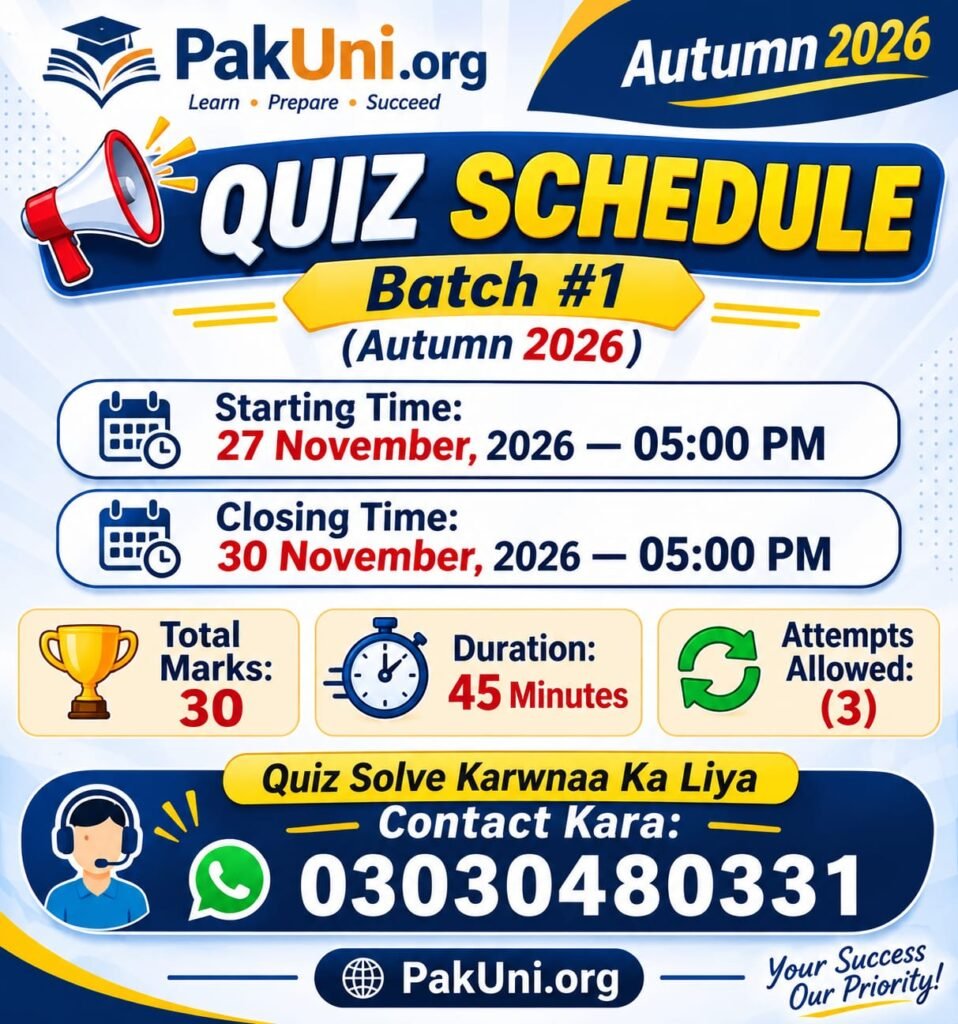
The AIOU Quiz Schedule for Batch #1 works as a timed window, not as a single fixed sitting. The window opens on 27 November 2026 at 5:00 PM and closes on 30 November 2026 at 5:00 PM, so you have three days to choose a moment that suits you. Within that window, each quiz carries 30 marks and lasts 45 minutes, and every student gets 3 attempts. In addition, the same window applies to each course in the batch, so plan your attempts course by course instead of rushing through them all at once.
Therefore, the best way to use the AIOU Quiz Schedule is to treat the window as a deadline, not as a start time. Open the quiz early, when your internet is stable and your device is charged, and leave enough time to finish the full 45 minutes before the closing time. However, if your first attempt does not go well, you still have two attempts left, so do not spend all three at once. For example, use the first attempt after a solid revision, review where you lost time, and then use a later attempt when you are better prepared.
How to Attempt Your Quiz Step by Step
Follow these steps the first time you open the AIOU Quiz Schedule window, and the attempt itself will be straightforward. Each step takes only a minute, but skipping one can cost you an attempt.
- Log in to the LMS with the login details you already use for your courses, and confirm they work before the window opens.
- Open the course, read the quiz instructions for that subject, and note the number of questions and the time limit.
- Charge your device, connect to a stable internet connection, and choose a quiet place where you will not be disturbed for 45 minutes.
- Start the quiz, keep an eye on the 45-minute timer, and answer the questions in order so you do not run out of time.
- Submit the quiz before the timer ends, and confirm the submission went through before you close the window.
AIOU Quiz Schedule Marks, Time and Attempts Explained
Every quiz in this AIOU Quiz Schedule carries 30 marks and lasts 45 minutes. That means you have, on average, just over a minute per mark, so pace yourself from the first question and do not spend too long on any single item. The 45-minute limit is fixed for each attempt, so a slow start cannot be recovered later in the same attempt.
You also get 3 attempts for each quiz in the AIOU Quiz Schedule, which gives you room to recover from a bad attempt. However, the attempts are not unlimited, so use them with a plan: revise first, attempt once, review what went wrong, and only then attempt again. Also, remember that the window itself is limited to 27 to 30 November 2026, so all three attempts must fit inside those three days.

Common Mistakes to Avoid
The most common mistake with the AIOU Quiz Schedule is waiting until the last hours of the window. On 30 November 2026, a slow connection, a forgotten password, or a power cut can eat the time you need, and the window closes at 5:00 PM whether you have attempted or not. Therefore, attempt your quizzes early in the window, when you still have time to fix a problem and try again.
Another mistake is spending all 3 attempts at once without revising between them. If the first attempt goes badly, a second attempt taken straight away, with the same gaps in your preparation, is likely to go the same way. For example, use the gap between attempts to revise the topics you found hard, check your course material again, and only then open the next attempt. In addition, never start a quiz without reading its instructions, because each course sets its own questions and its own rules. A quick check of your device, your login details, and your internet connection before you start will save you from losing an attempt to a problem you could have fixed in advance.
AIOU Quiz Schedule FAQs
When does the AIOU Quiz Schedule window open?
The window opens on 27 November 2026 at 5:00 PM. You can attempt your quizzes any time after that, until the window closes.
When does the window close?
The window closes on 30 November 2026 at 5:00 PM. After that time, no attempt will be possible, so finish your quizzes well before the closing time.
How many marks is each quiz worth?
Each quiz carries 30 marks, and every quiz lasts 45 minutes. Plan your time so you can answer a
How many attempts do I get?
Each student is allowed 3 attempts for each quiz. Use them wisely: revise between attempts instead of spending all three at once.
What should I do if my login does not work?
Check your login details before the window opens, so a forgotten password does not cost you an attempt. Keep your login details safe, and test them on the LMS before 27 November 2026, so you are not locked out when the window opens. The official website of Allama Iqbal Open University is the source for the current rules and dates, and you should follow its guidance if a problem continues.
Is the quiz schedule the same as the date sheet?
No. The AIOU Quiz Schedule covers the online quizzes for Batch #1, while the date sheet covers the written examinations. For the exam dates, see our AIOU date sheet guide for Autumn 2026.

Need Help With Your Quiz?
Agar aap ko quiz solve karwane mein madad chahiye, to hum se WhatsApp par rabta karein. Quiz window sirf 27 se 30 November tak khula hai, is liye der na karein.